Interior rate list management is not glamorous, but it decides whether every quote you send is accurate. After a few rate card imports and a year of quoting, any rate list gets messy. "Sqft", "SFT" and "sq.ft" all mean the same thing. Two names for the same gypsum ceiling. A GST rate that was never filled in. Small inconsistencies become wrong quotes.
Why interior rate list management matters
A messy rate list causes problems you only notice later:
- Type-ahead shows two versions of the same item at different rates
- A unit mismatch makes a quantity look wrong to the client
- A missing GST rate leaves a line untaxed
- An outdated rate quietly eats into your margin
A few minutes of upkeep prevents all of them.
Open the Library Manager
Click Manage under My Library. You get a searchable table of every item, with category tabs to filter by work type. You can edit the description, unit, rate, GST and HSN/SAC for any item, or delete a row.
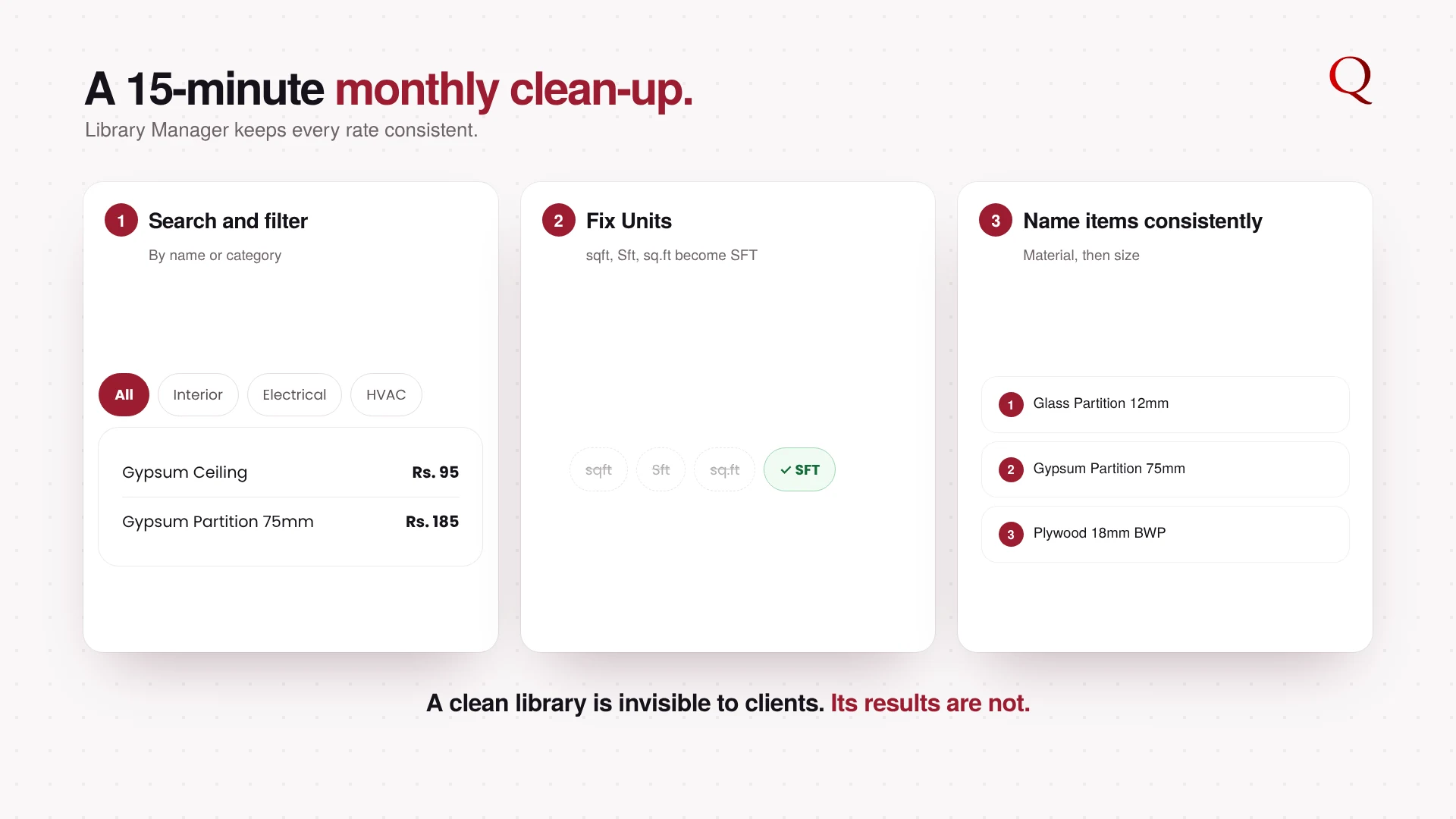
A 15-minute monthly clean-up
- Fix Units: one click cleans up inconsistent unit names
- Merge duplicates: search for common words like "gypsum" or "door" and delete the extra entries
- Fill GST and HSN/SAC: check that every item has both
- Update rates: compare with your latest supplier cards, or re-import them
- Save All: save every change in one go
Name items the way you quote them
Use the same pattern for every item: material, then size or spec. For example, "Glass Partition 12mm" and "Gypsum Partition 75mm". Type-ahead then finds exactly what you mean.
A clean library makes the floor plan draft better
The Floor Plan Analyzer prices drafted items by matching them to your library. Clear, consistent names mean more matches, so more of the draft arrives already priced with your rates and correct GST. That means less checking before Preview turns it into a branded, room-wise PDF. Library upkeep is quiet work that pays off in every fast, client-ready quote.
Why this wins projects
A clean library is invisible to the client, but its results are not. Consistent names, units and taxes make every quote look precise, and they make every quote faster to build.
Questions studios ask
How often should I clean my rate list?
A short monthly check is enough for most studios, plus a quick update whenever a supplier changes prices.
What does Fix Units do?
It cleans up inconsistent unit names in one click, so variations like sqft and SFT become one unit.
Can I re-import an updated supplier rate card?
Yes. Use Library Import again, check the preview and save.
Read next
- Interior Rate List Software: Your Own Rates in Every Quote
- Import a Rate List from Excel or PDF: Your Supplier Rate Card in Minutes
A designer's note
Data gets messy in every real business, and pretending otherwise is bad design. Instead of demanding perfect input, I gave the library simple ways to recover: a search, category tabs, and one button that fixes the most common mess, units. Good tools forgive small mistakes and make cleaning up feel quick rather than like a chore.