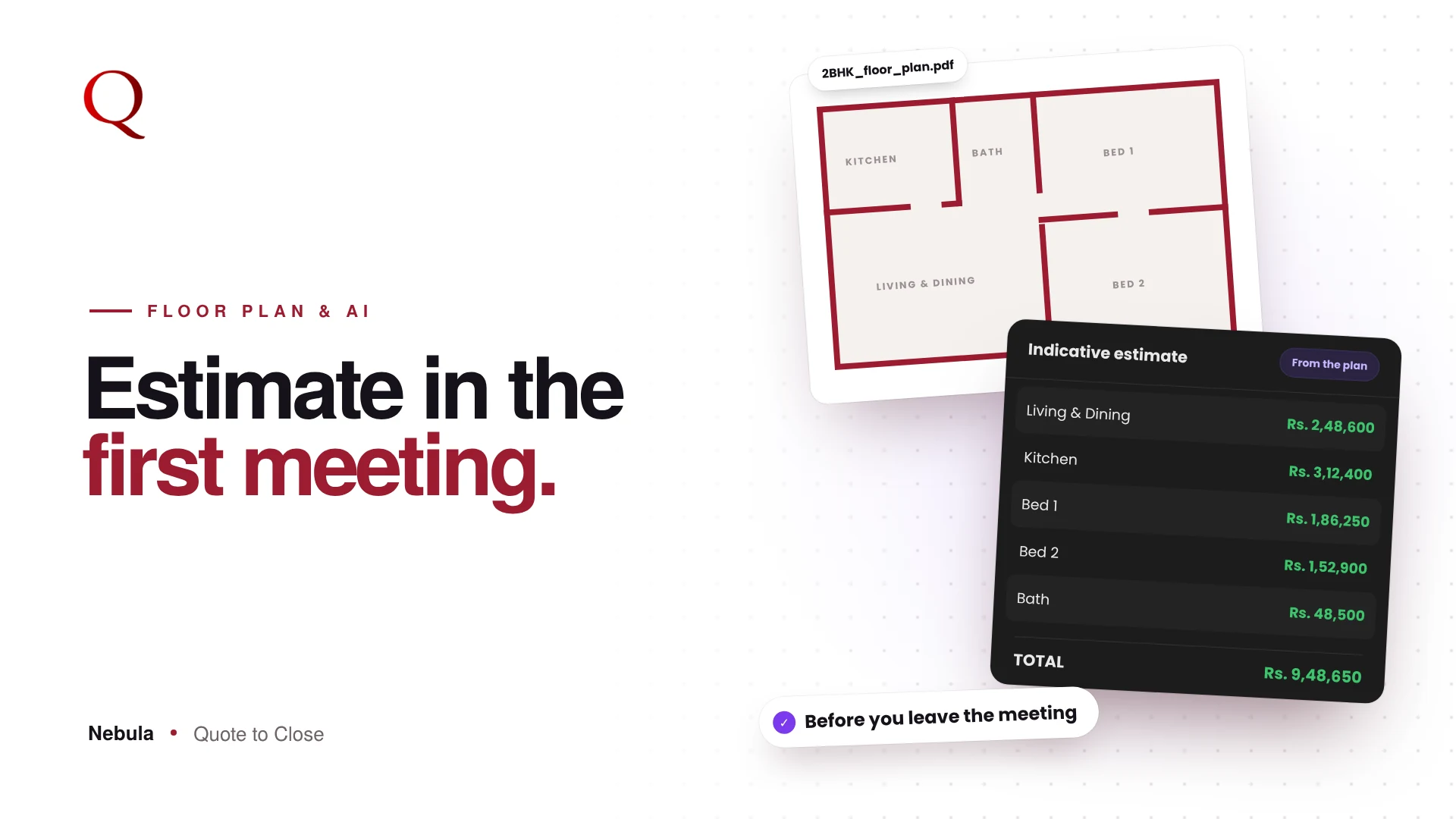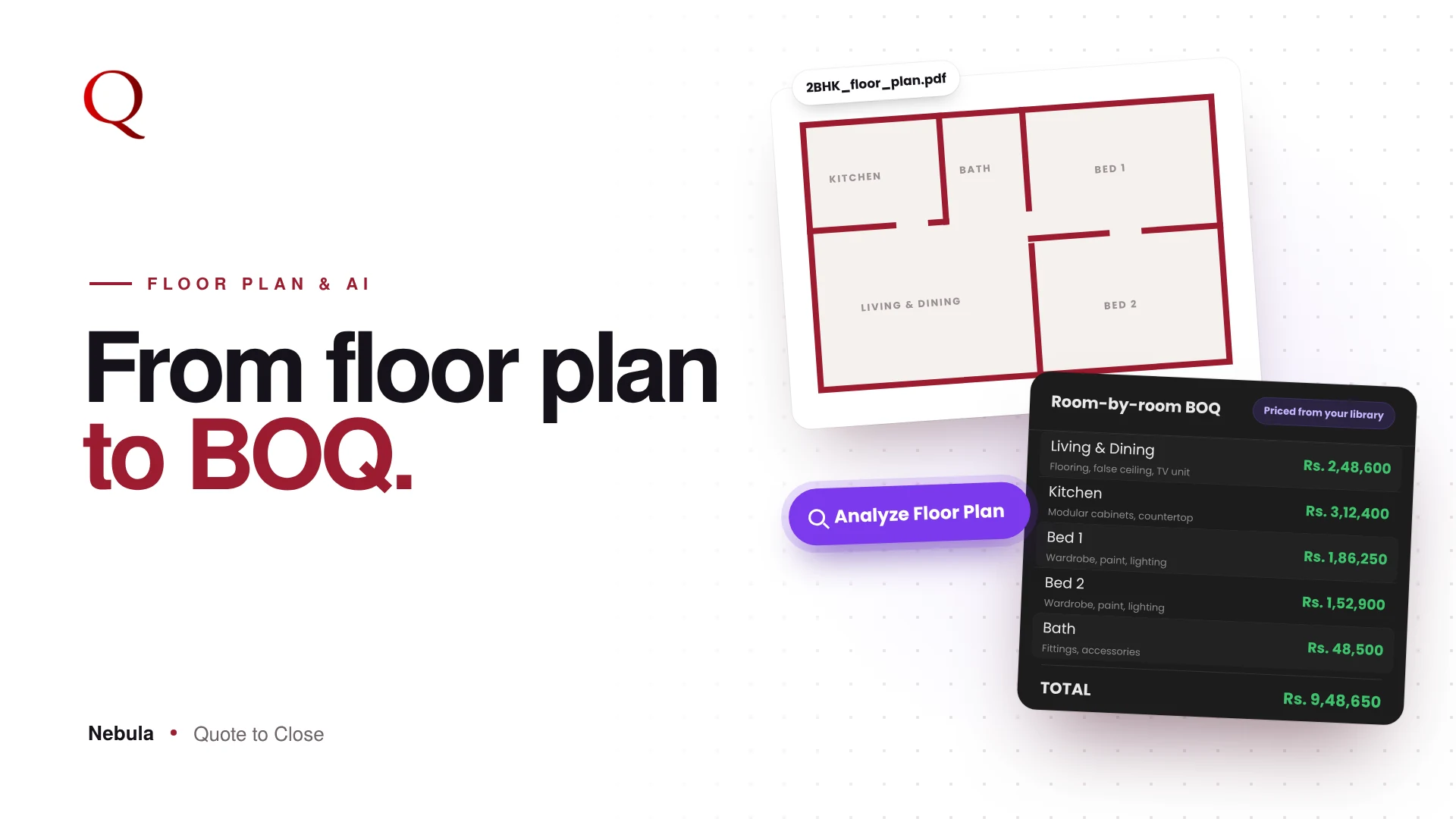
Going from floor plan to BOQ is usually the slowest part of quoting an interior project. A client shares a floor plan and asks, "What will this cost?" Usually that means hours of reading the plan, listing rooms, measuring areas and choosing materials before you can share a first number. Nebula's Floor Plan Analyzer does that first draft for you, in minutes.
Why floor plan to BOQ takes so long by hand
A manual BOQ from a floor plan has many small steps, and each one invites a mistake:
- Reading every room name and dimension, often from a scanned or photographed plan
- Working out areas and converting units
- Deciding which materials each room needs
- Finding the current rate for each material
- Typing it all into a sheet and checking the totals
None of this is design work, but it decides how fast your first number reaches the client.
Step 1: Upload the plan
Click Analyze Floor Plan in the Quote Builder. Drop in the plan as JPG, PNG, WEBP or PDF, up to 15 MB. You can add a short note, such as "Premium materials, focus on kitchen and bedrooms, budget around 15 lakhs."
Step 2: Answer a few questions
The AI reads room names, dimensions, annotations, ceiling notes and finish specs. It then asks only what the plan cannot answer, at most three questions. Tap an answer option, or type your own.
Step 3: Review the draft BOQ
The result is a room-by-room BOQ: each room with its dimensions, area, items, quantities and units, plus a total. It also shows the scale and notes it found, and a warning line for anything it was unsure about. You stay in control of every line.
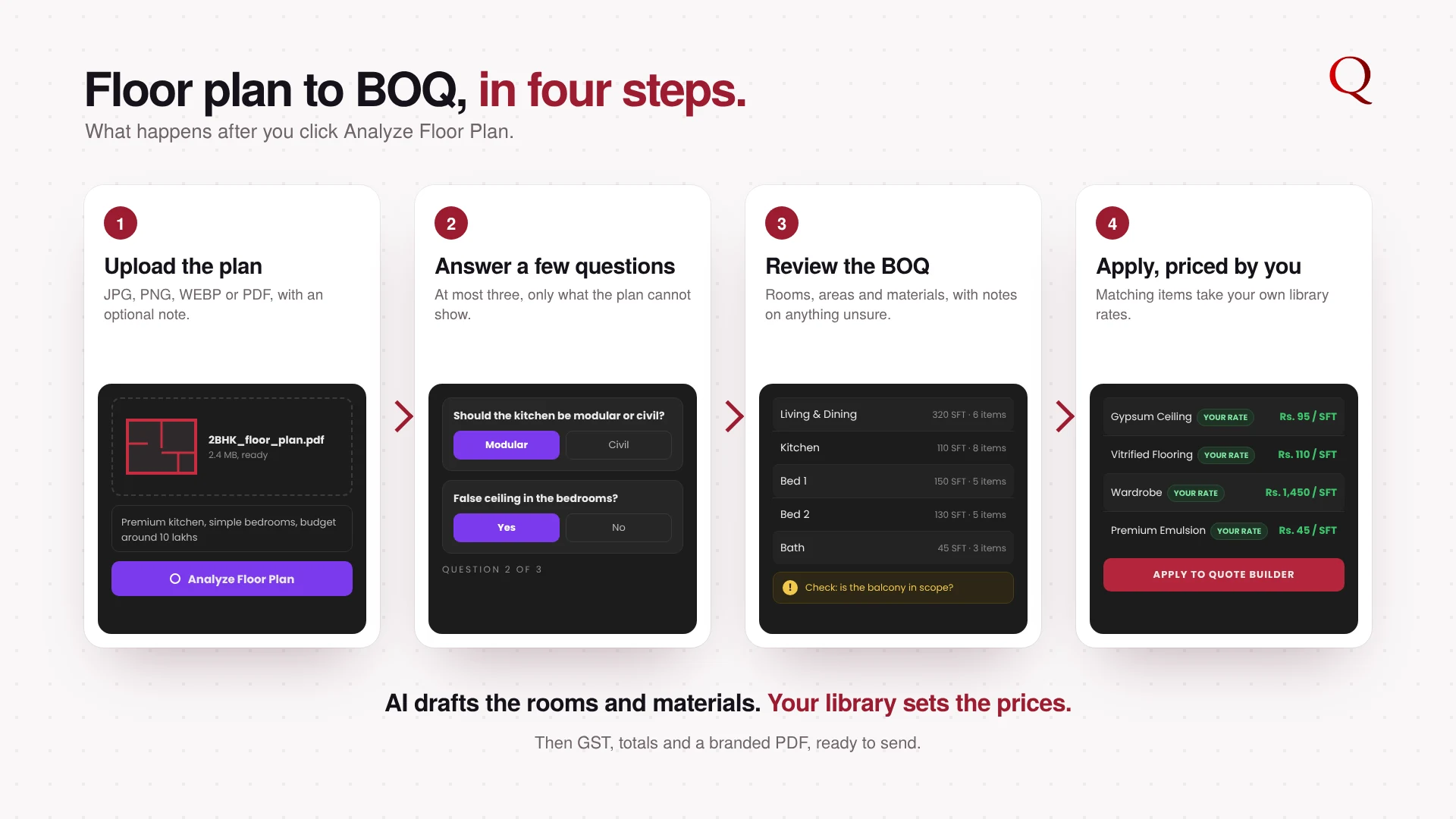
Step 4: Apply to the Quote Builder
One click on Apply to Quote Builder creates the rooms and items in your quote. Where an item matches My Library, Nebula uses your own rate. Large plans are continued automatically, so no rooms are dropped.
Rooms and materials, not just room names
The analyzer does not stop at listing rooms. It suggests the materials each room needs, such as flooring, ceiling, wardrobes or paint, using the interior design knowledge built into Nebula. That gives you a real starting BOQ, not a blank template.
From BOQ to a client-ready quote
The draft BOQ is only the start. Once it is in the Quote Builder, GST and totals are calculated automatically, and Preview turns the quote into a branded PDF with your logo and clear room sections. So the path is short: floor plan in, a well-designed quote out, sent on WhatsApp the same day. A finished, professional document gives the client something easy to say yes to.
What AI does not do
AI drafts the rooms and items. Prices, GST and totals are calculated by fixed rules, so the final numbers are exact and repeatable.
Why this wins projects
You can share a structured, room-wise estimate in the first meeting or on the same day, while other studios are still reading the plan. Every earlier analysis is saved under Past Analyses, so you can reapply it for a revised plan.
Questions studios ask
What kind of floor plans work?
Images (JPG, PNG, WEBP) and PDFs up to 15 MB. Clear plans with room names and dimensions give the best draft, and the AI flags anything it is unsure about.
Will the BOQ use my prices?
Yes, wherever an item matches your library. Items without a saved rate are listed so you can add the rate once and reuse it.
Can I change the draft?
Always. The draft is a starting point. Edit, add or remove any room or item before you send the quote.
Read next
- Interior Design Quotation Software: Quote Faster, Win More Projects
- A quote that looks like your studio
A designer's note
The hardest design decision here was how much the AI should ask. Too many questions and it feels like filling a form; too few and the draft is guesswork. I settled on at most three, and only about what the plan cannot show. I also made sure the AI never sets a price. It reads and drafts; your library prices. That split keeps the speed of AI and the trust of your own numbers, and it turns hours of reading a plan into a few minutes of checking one.
Try Nebula: jetrow.in/products/nebula