A customer looking at a modular building is rarely choosing a single object. They are thinking about a space, a layout, a finish and how that combination might fit their life. A configurator can bring those questions into one place. The useful starting point is a focused set of choices that your team can confidently explain and deliver.
Start with one product family
For a first version, choose a product family with a clear range of supported options. List the decisions a buyer can make and identify the combinations your team can actually supply. That might mean selecting one, two or three modules, choosing a cladding finish and comparing two glazing arrangements. Keep the relationship between the choices and the preview easy to follow.
- Define the base product and its dimensions.
- Agree which options change appearance, compatibility or cost.
- Separate available choices from ideas that still need engineering review.
- Decide which selections must be carried into an enquiry.
Make each change understandable
When someone selects another finish, the preview should show that finish clearly. When they add a module, they should understand how the footprint changes. A considered camera angle, responsive controls and optional dimensions can help people compare their choices. The experience should leave room to inspect the product, without asking the visitor to learn complicated 3D controls.
A useful configurator connects what a customer sees to what your team needs to know.
Design the handoff as carefully as the preview
The end of the experience matters. An enquiry should include the configuration the visitor selected, along with room for their project requirements. If pricing is not yet validated, use a quote request rather than an estimate that looks final. Your team can then review site requirements, delivery, installation and any custom work before confirming a proposal.
Give the first version a clear boundary
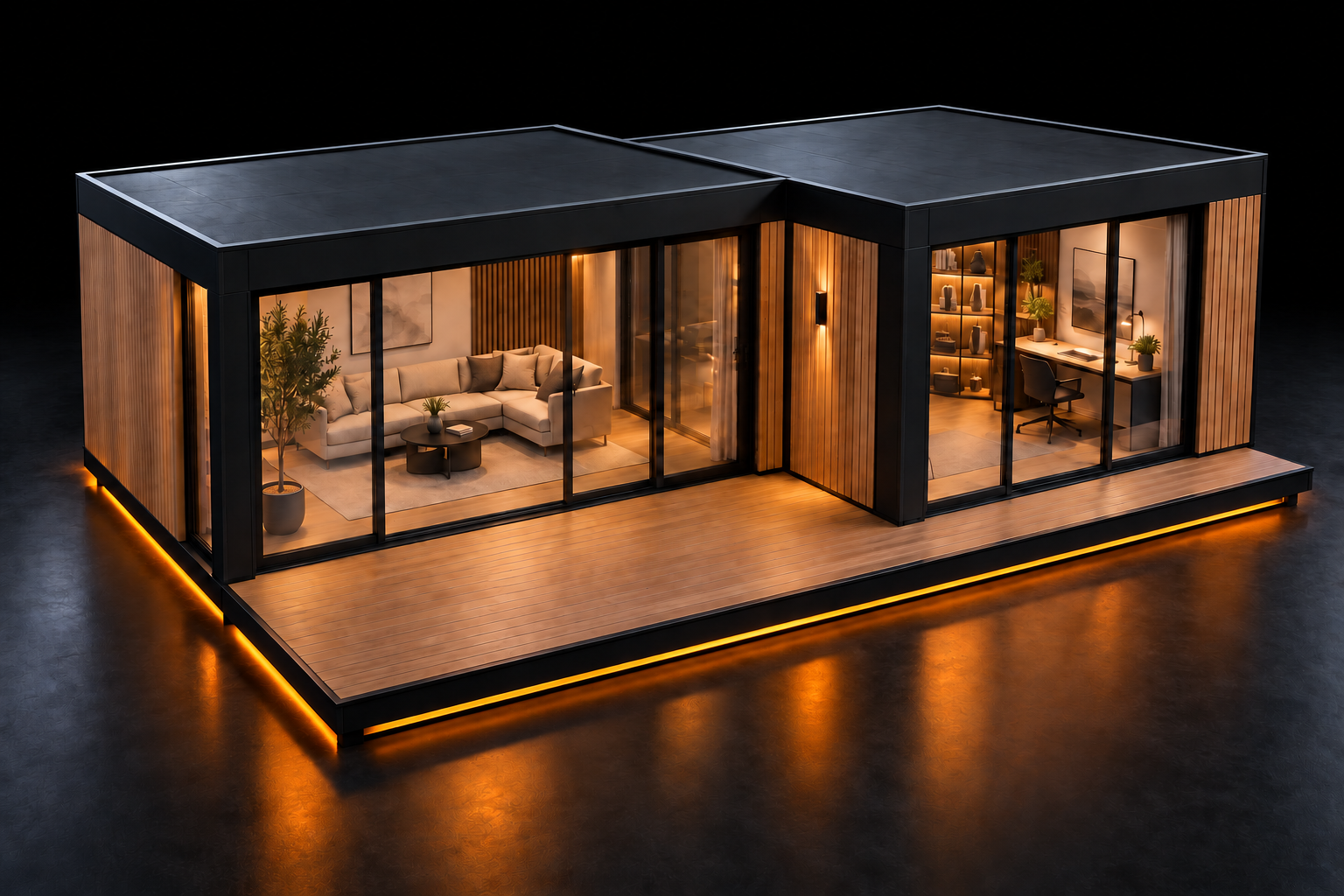
At Jetrow, we would begin by agreeing the product range, inputs, option rules and review stages. Our modular studio is a self-initiated demonstration of that workflow. It shows how layout, materials and glazing can become an interactive conversation. A customer project would use the customer’s own product data and approved choices.
The first milestone is a working experience that can be reviewed against a known set of configurations. Once that foundation is reliable, additional product families and more detailed commercial workflows can be scoped with confidence.